Activate or recover your 6‑digit PIN
With your PIN, you can sign in and authorize your operations without complicated passwords. Security in 6 digits!
Maximize security in your HSBC Mexico app with your 6‑digit PIN and your Mobile Token.
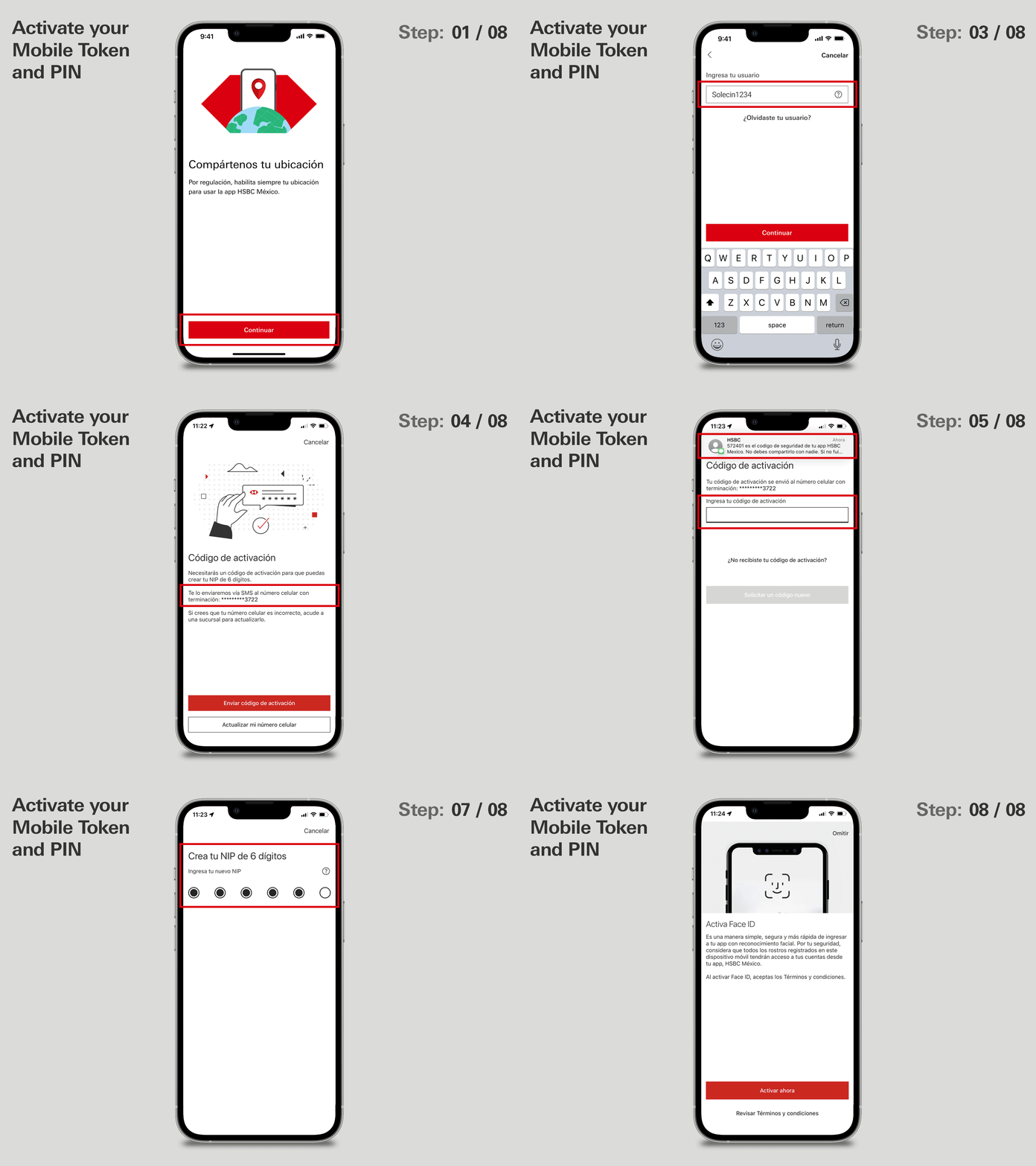
- Open your HSBC Mexico app. When you enter, we’ll ask you to share your location. Tap Continuar (Continue) and choose Permitir al usar la app (Allow while using the app).
- If you’re already registered for Online Banking, choose Sí, activar mi Token Móvil (Yes, activate my Mobile Token). If not, click here and learn how to register.
- Enter your Online Banking username and password.
- Next, we’ll send you an SMS. Check that the last 4 digits match your registered number and click Enviar código de verificación (Send activation code).
- Enter the code you received.
- Read the details carefully to activate your 6‑digit PIN and click Continuar (Continue).
- Create your new 6‑digit PIN and confirm it.
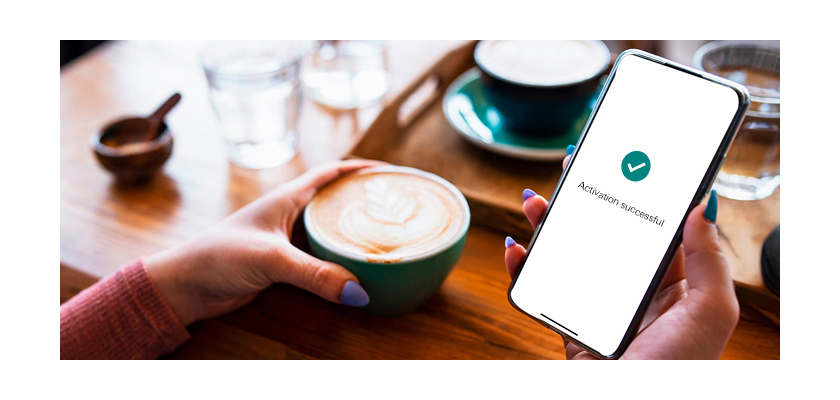
- You’ve activated your Token and 6‑digit PIN! Click Iniciar sesión (Sign in).
We recommend enabling biometrics to access your HSBC Mexico app more easily.
Was this information helpful?
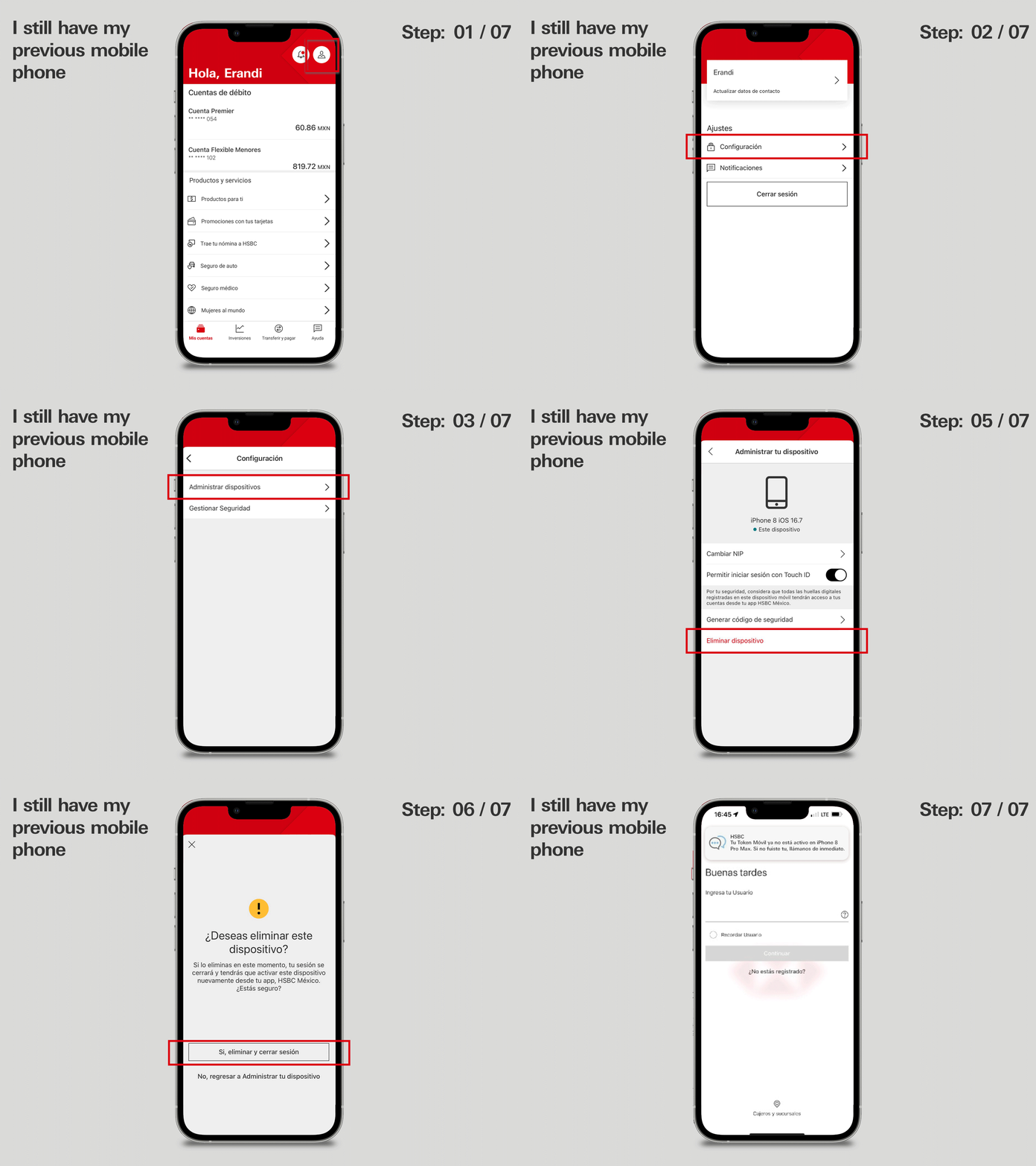
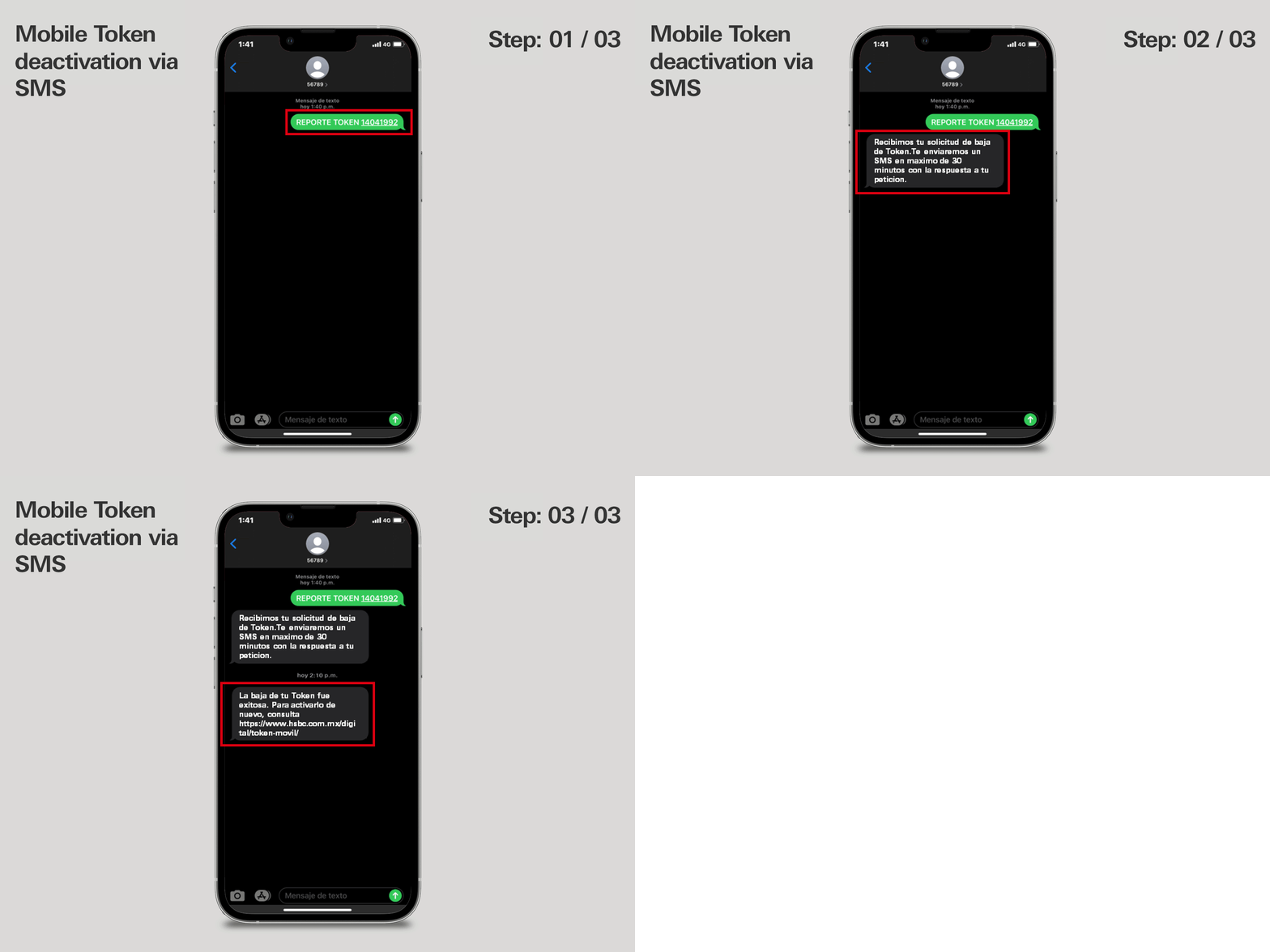
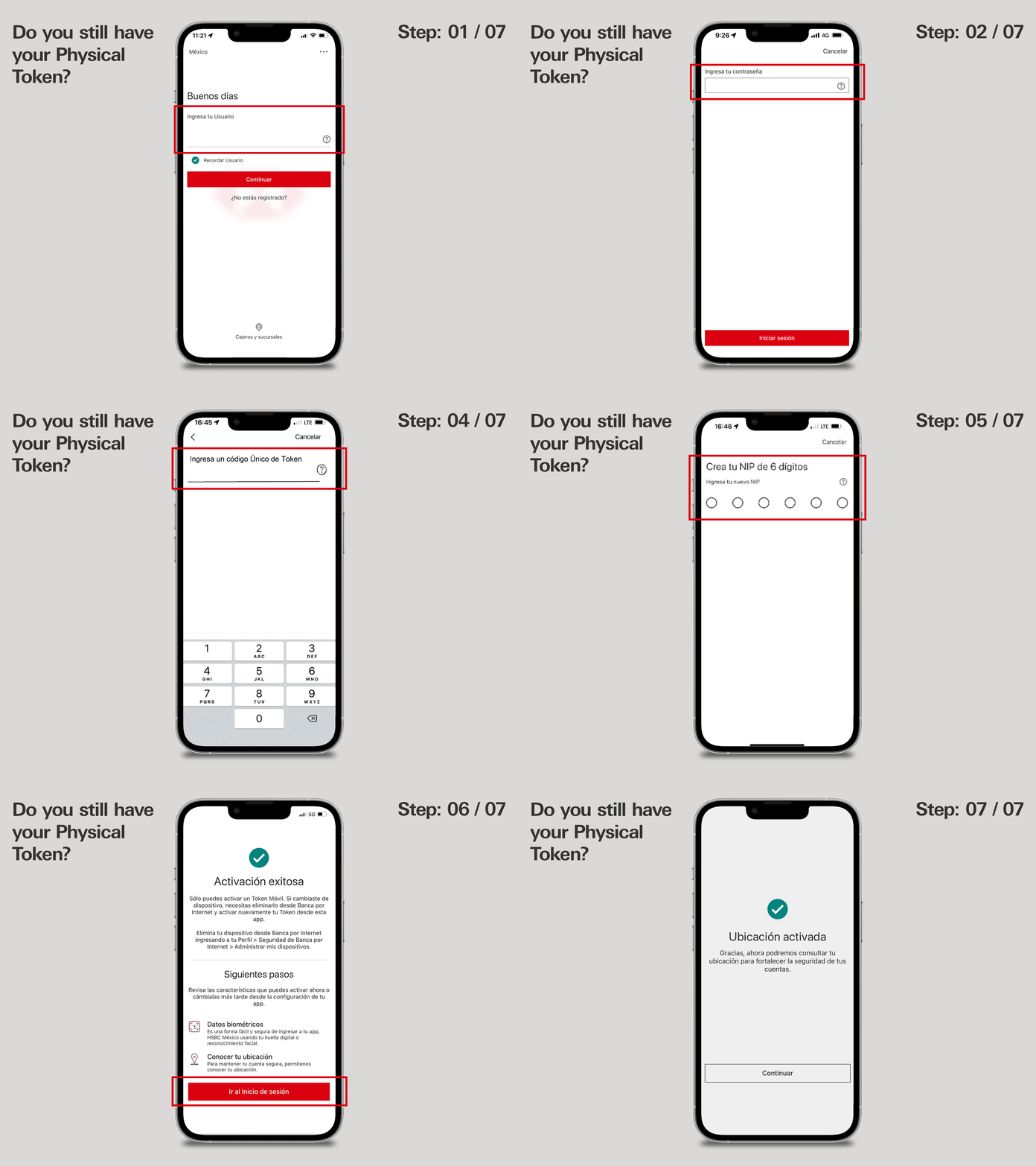
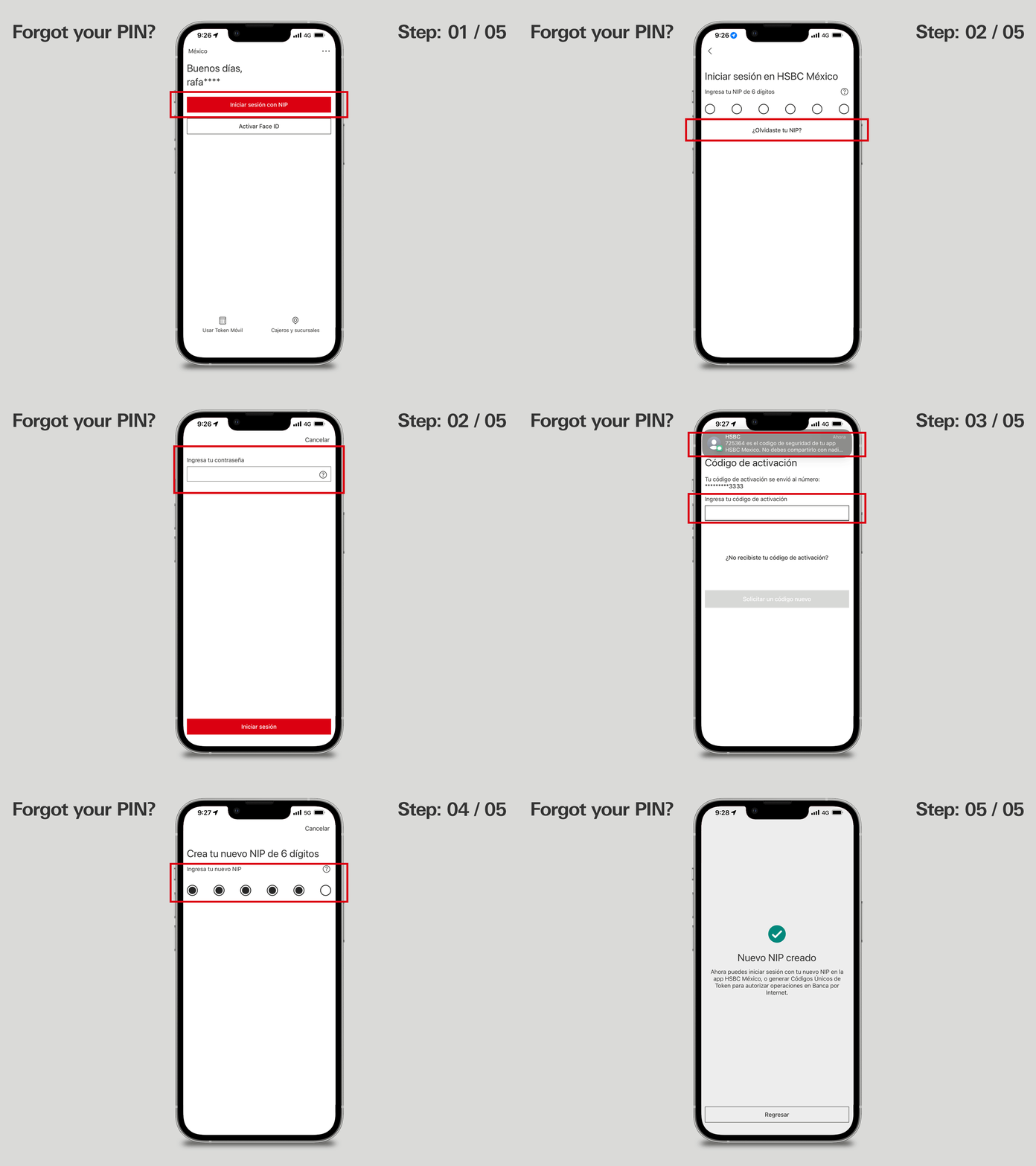
Activate your Mobile Token
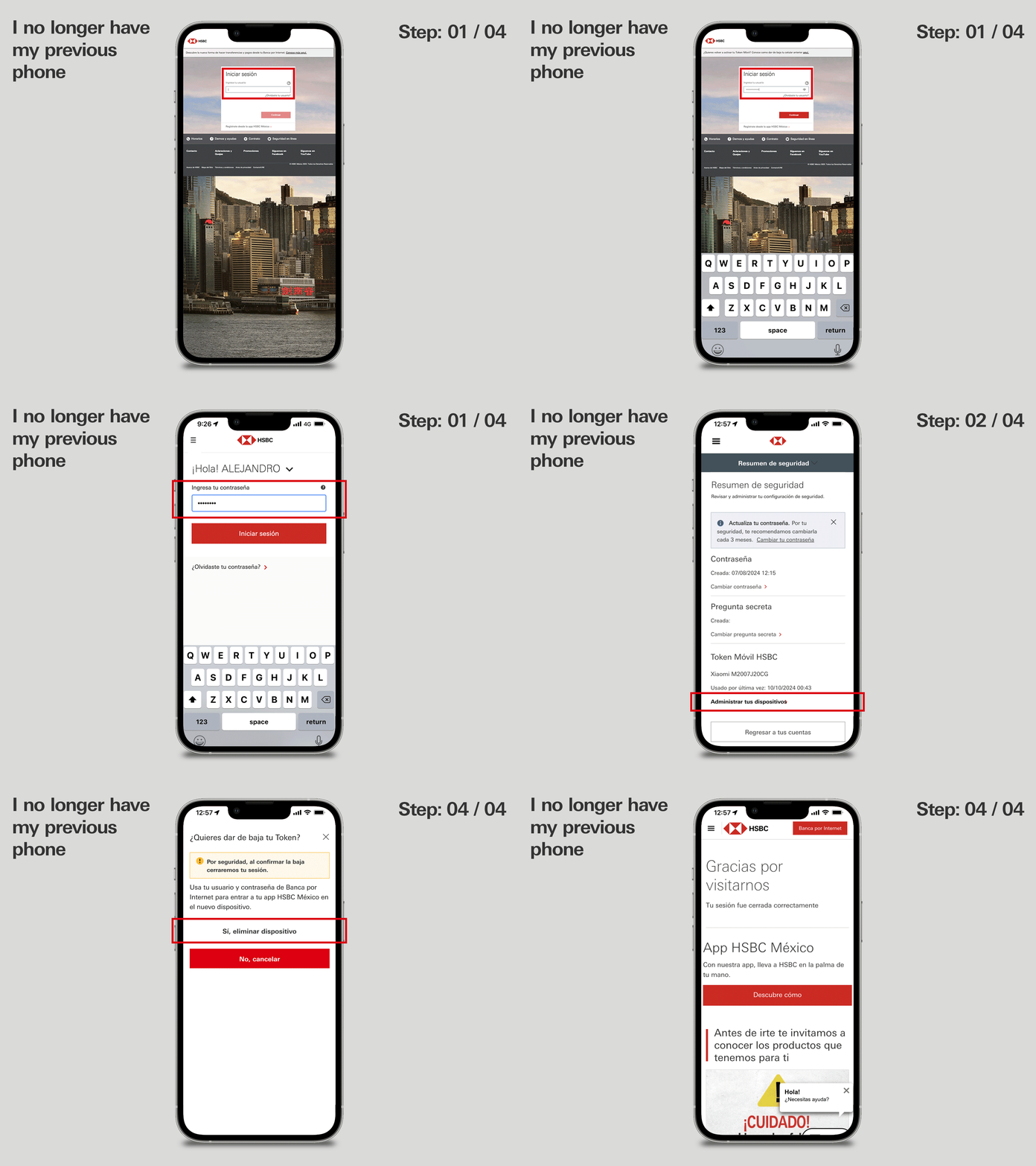
Changed your phone?
Do you still have your physical Token?
Forgot your PIN?
Generate a One-Time Token Code
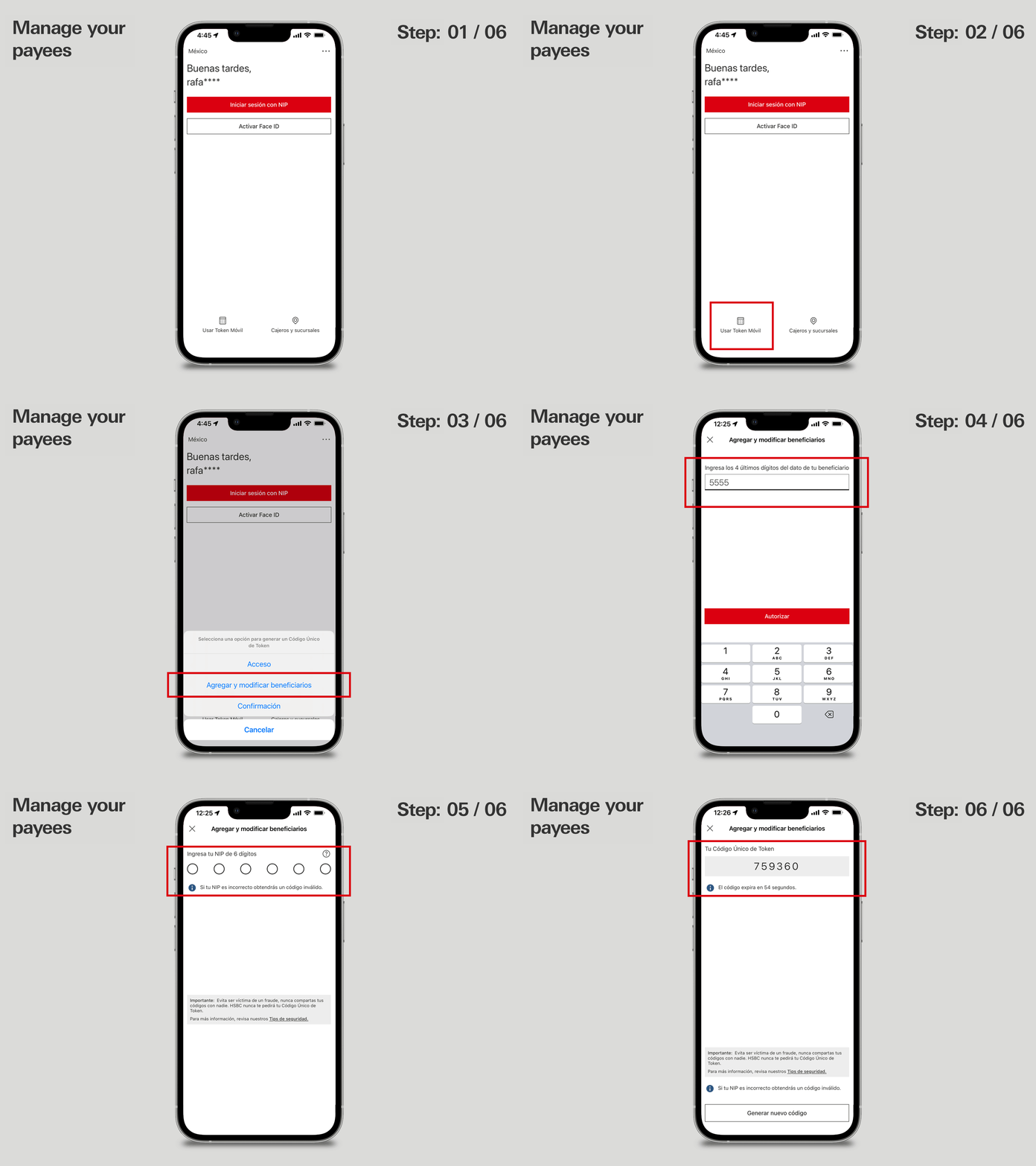
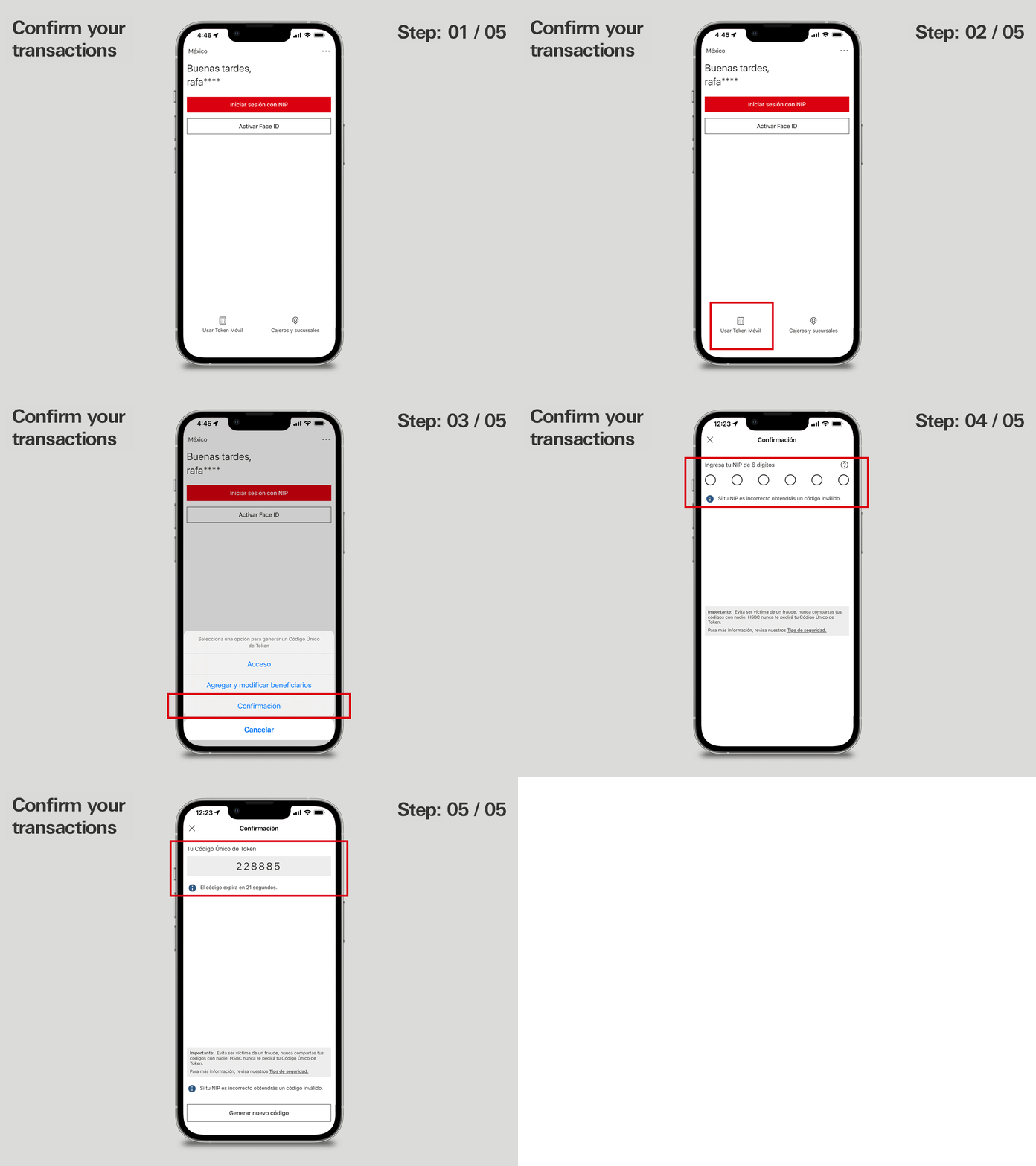
Use it to log in, confirm transactions or manage your payees via Online Banking.
Do you need a code to access Online Banking or a specific section?
Here’s how to get it:
- Open your HSBC Mexico app.
- On the login screen, click Usar Token Móvil (Use Mobile Token).
- Select Acceso (Access).
- Enter your 6-digit PIN or your fingerprint or Face ID if you have them enabled.
- Done! You’ll see a 6-digit Código Único de Token de Acceso (One-Time Access Token Code) that you must enter to access your Online Banking.
NOTE: This code expires after 40 seconds. If you need a new one, you can generate it by following the same steps.
Was this information helpful?
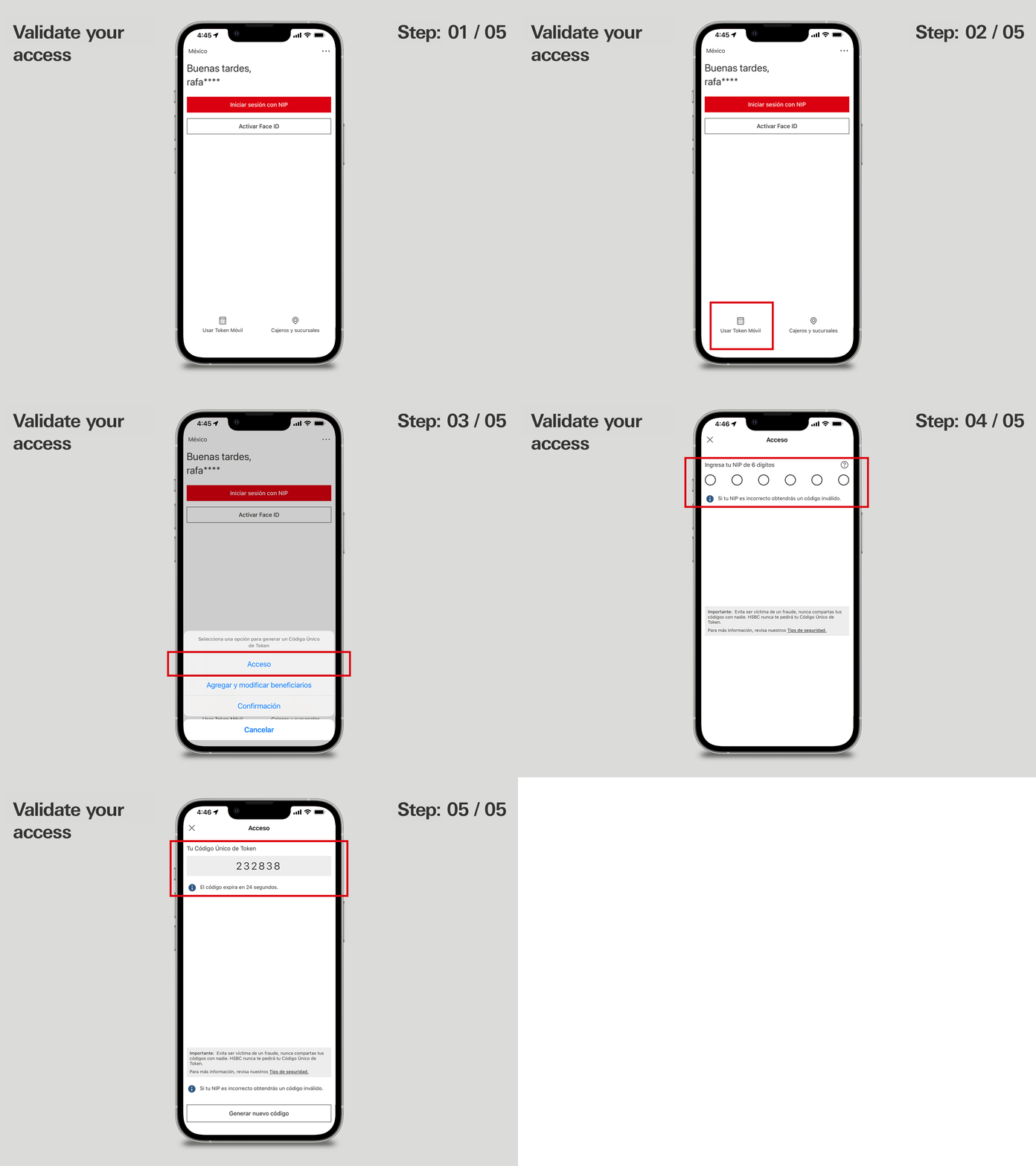
Validate your access
Manage your payees
Confirm your transactions
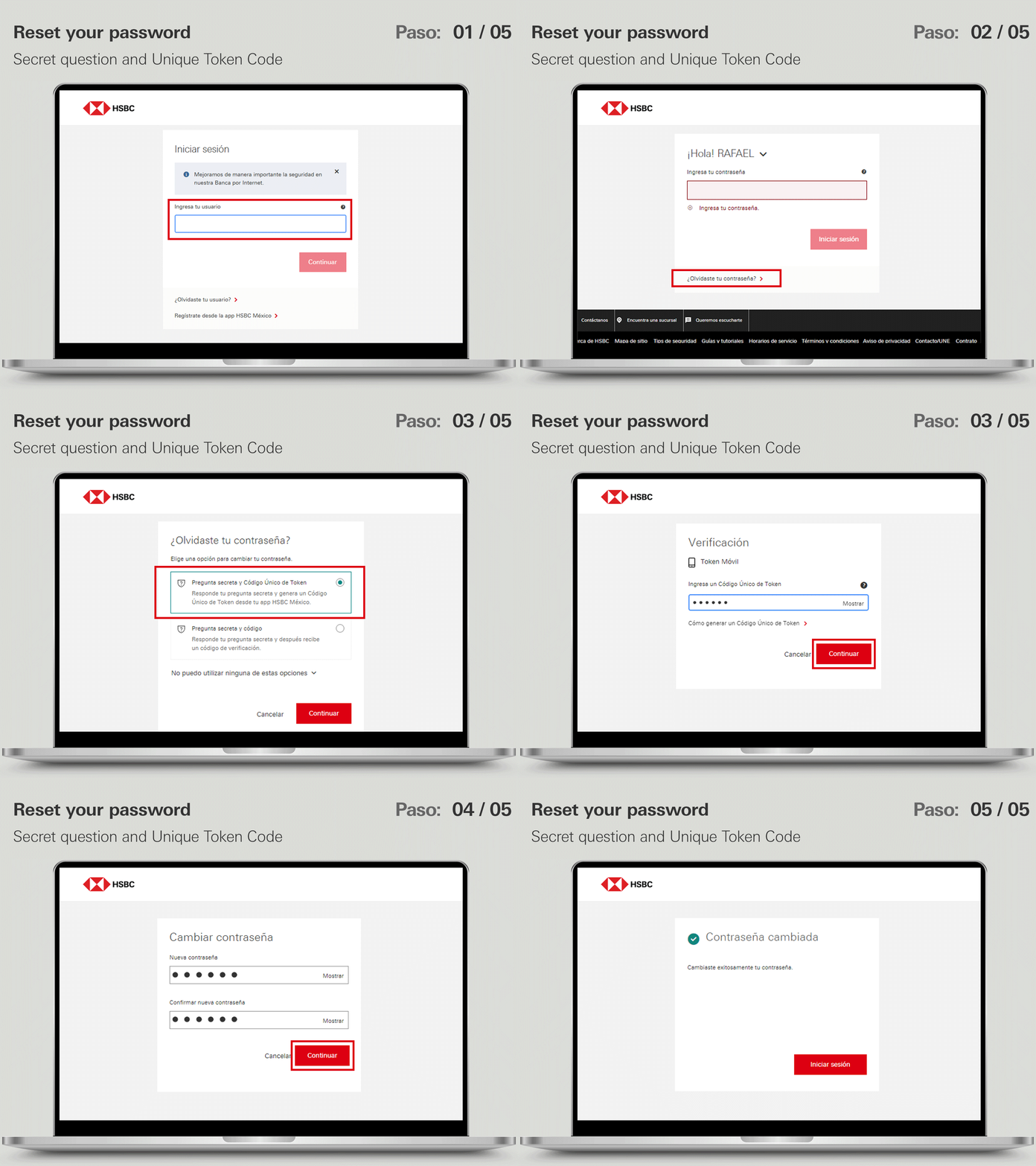
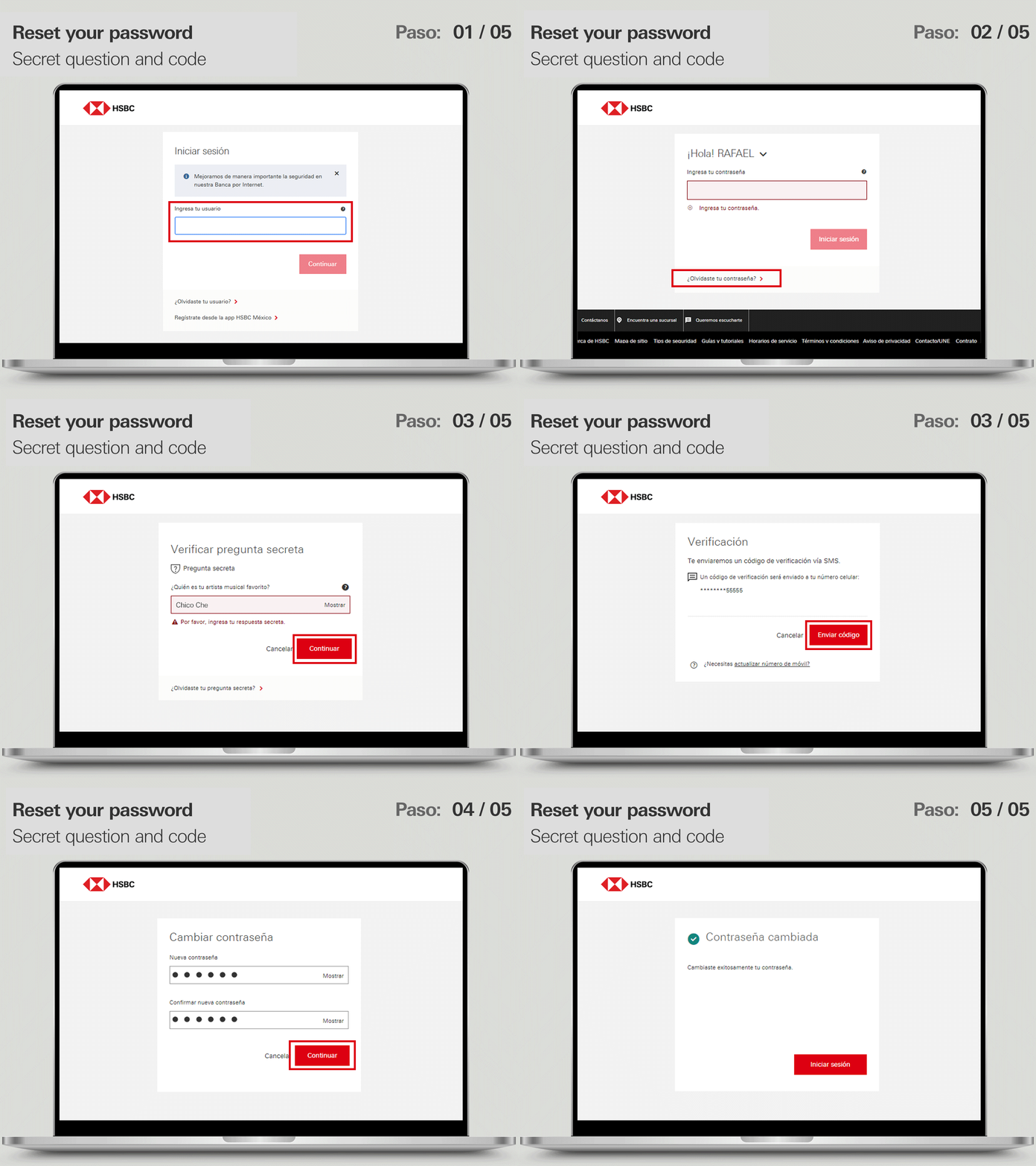
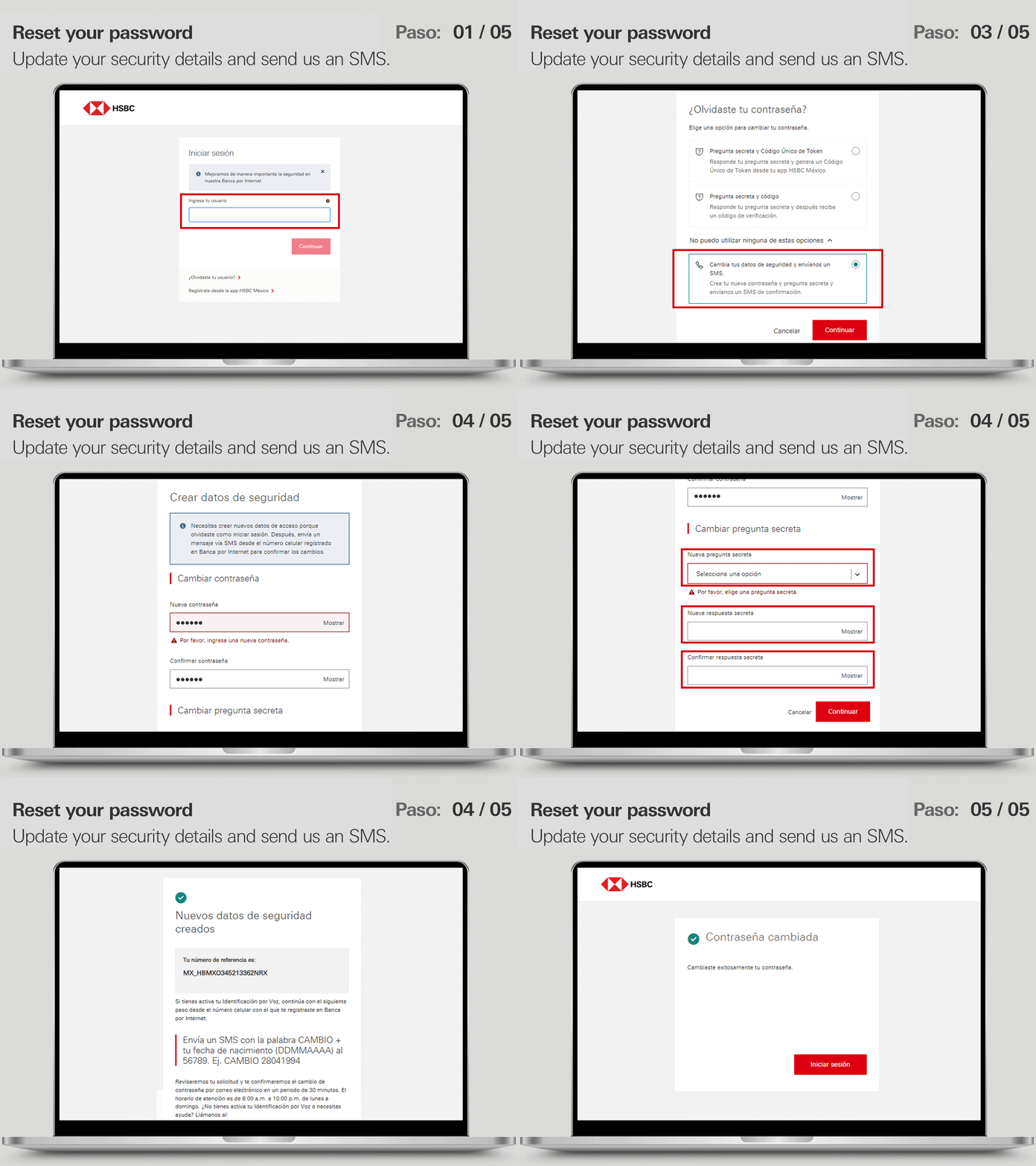
Forgot your username or password? Recover them!
Don’t lose access to your app or Online Banking.
Don’t remember your username to sign in to Online Banking or your app? Don’t worry; here’s how to recover it.
- Go to the Online Banking login screen and select the option Forgot your username?
- Choose whether to identify yourself with an HSBC Debit Card or an HSBC Credit Card. Enter the requested details, the PIN you use at the ATM, and click Continue.
- All set! Your username will appear on screen. We suggest writing it down somewhere safe so you have it handy whenever you need it.
NOTE: If you already have an HSBC Debit Card, you won’t be able to use the HSBC Credit Card option.
Was this information helpful?
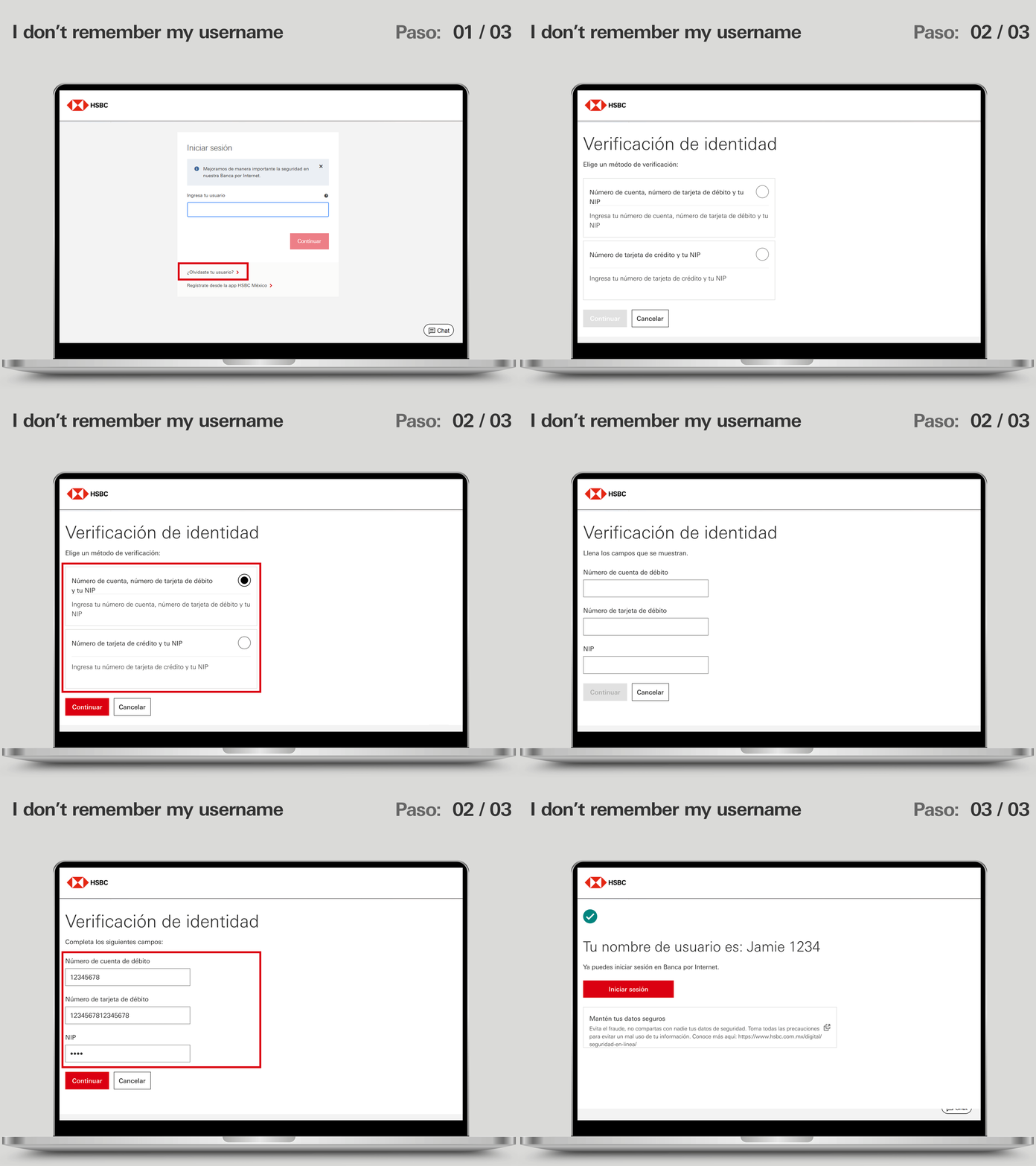
I don’t remember my username
What is my password?
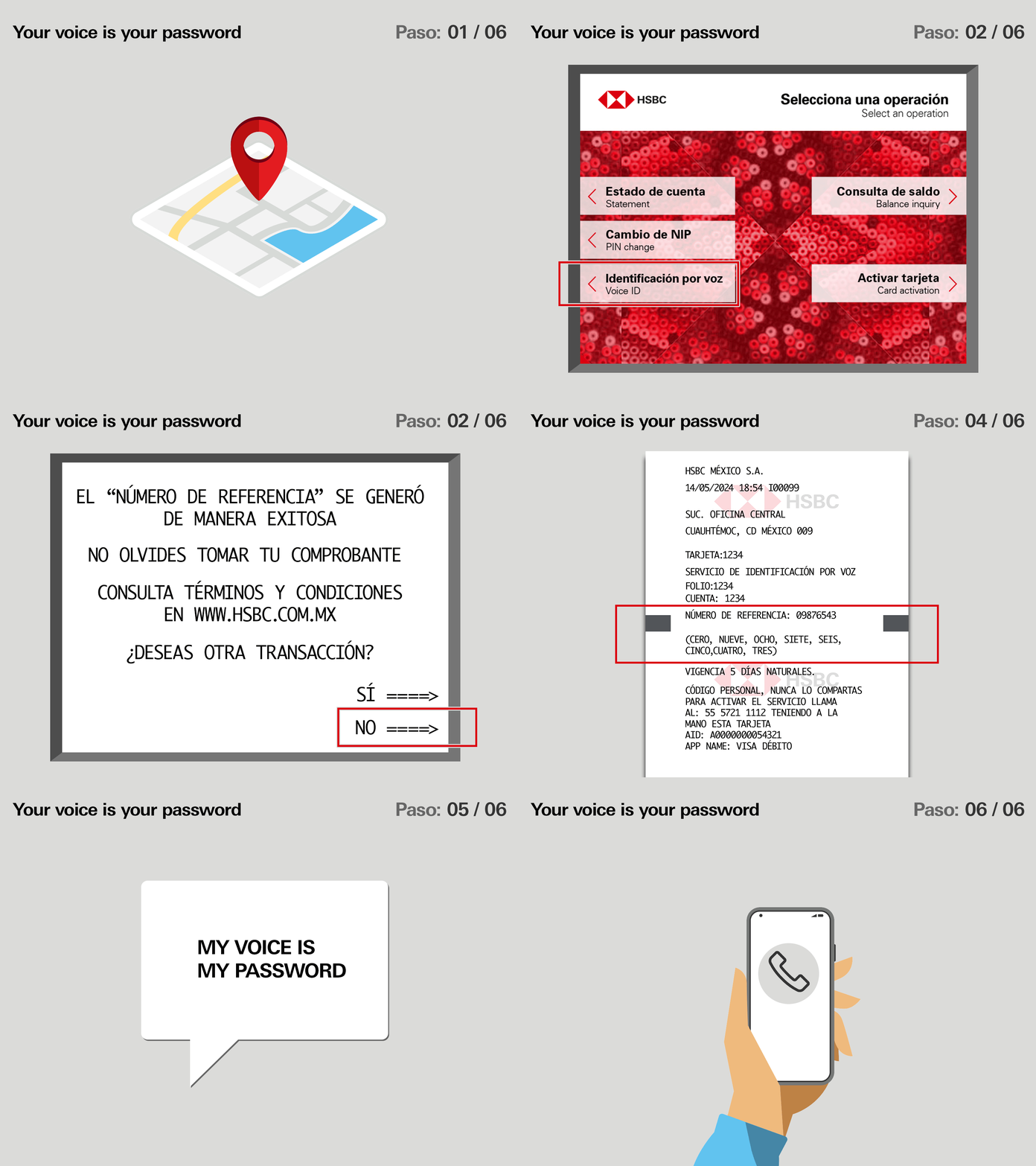
Your voice is your password
- Go to your nearest HSBC ATM and insert your debit card.
- Select Voice Identification and then choose Generate reference number.
- Print your receipt and keep it somewhere easy to find.
- Call the Voice Identification registration line 55 5721-1112 and sign in using the reference number you printed (it has 8 digits), as well as your access key, which can be your account number, card number or access key. Make sure you’re somewhere with minimal noise and don’t use your headphones.
- Once your details have been confirmed, we’ll ask you to enter the last 4 digits of the card you used to generate your receipt at the ATM. Then, to create your voice registration, you’ll be asked to say the phrase “Mi voz es mi contraseña” (“My voice is my password”) up to 5 times. It’s important to wait for the confirmation sound before repeating the phrase.
- All set! Use your voice whenever you contact HSBC México Contact Centre.
NOTE: The reference number is valid for 5 calendar days. You can only use the most recent one you printed, as it will be the only one recognized by the system.
Was this information helpful?